

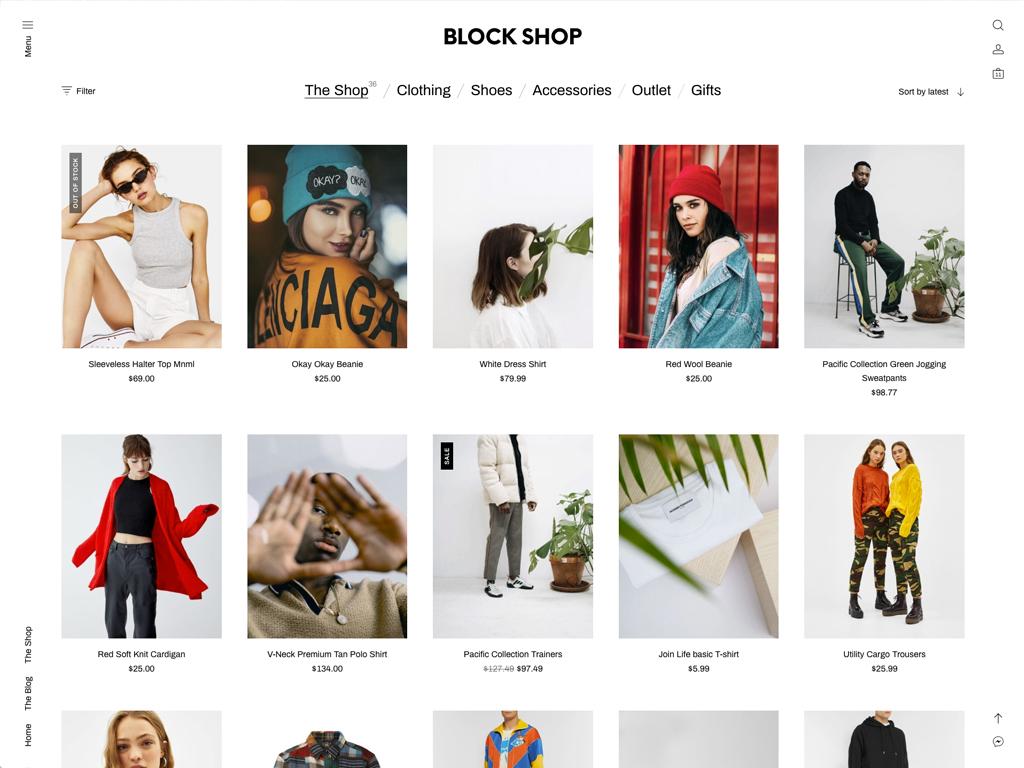
Introduction: Building Your WooCommerce Store – A Step-by-Step Guide
In today’s digital age, establishing an online presence is more crucial than ever for businesses of all sizes. With e-commerce growing exponentially, platforms like WooCommerce have emerged as powerful tools for entrepreneurs looking to create their own online stores. Whether you’re a seasoned business owner or just starting out, this step-by-step guide is designed to empower you with the knowledge and resources needed to build a professional WooCommerce store that not only attracts customers but also drives sales.
From selecting the right hosting provider and configuring your payment options to designing an engaging storefront and optimizing for search engines, we’ll walk you through each essential phase of the process. By the end of this guide, you’ll have a comprehensive understanding of how to set up your WooCommerce store, allowing you to confidently launch your e-commerce business and tap into the vast opportunities the online market has to offer. Let’s dive in and get your WooCommerce journey started!
Table of Contents
- Choosing the Right Hosting Provider for Your WooCommerce Store
- Essential Plugins to Enhance Your WooCommerce Experience
- Designing an Attractive and Functional Storefront
- Implementing Secure Payment Gateways for Customer Confidence
- Closing Remarks
Choosing the Right Hosting Provider for Your WooCommerce Store
Choosing the right hosting provider is crucial for the success and performance of your WooCommerce store. With a plethora of options available, it’s essential to consider several factors that influence the overall experience. Look for hosting providers that offer optimized WooCommerce performance, reliable uptime, and scalability—especially if you plan to grow your store. Consider platforms that specialize in managing WordPress and WooCommerce, as they often come with built-in features tailored to eCommerce, such as caching technologies and SSL certificates for improved security.
When comparing hosting services, keep an eye on the following key elements:
- Speed: A slow-loading website can deter potential customers. Aim for hosts with solid-state drives (SSDs) and CDN integration.
- Support: Choose a provider with 24/7 customer support that specializes in WooCommerce to address any issues efficiently.
- Backup and Security: Prioritize hosts that offer automated backups and robust security measures to protect your data.
Here’s a quick comparison table to help you evaluate some popular hosting providers:
| Provider | Speed | Support | Security Features |
|---|---|---|---|
| SiteGround | Excellent | 24/7 Live Chat | SSL, Daily Backups |
| Bluehost | Good | 24/7 Phone Support | Free SSL, Malware Protection |
| WP Engine | High | 24/7 Chat & Phone | Automatic Backups, Threat Detection |
Essential Plugins to Enhance Your WooCommerce Experience
To enhance your WooCommerce experience, integrating essential plugins can significantly elevate both functionality and user experience. WooCommerce Multilingual allows you to effortlessly translate your store into multiple languages, breaking down barriers for international customers. For efficient inventory management, consider ATUM Inventory Management, which provides a comprehensive overview of stock levels, allowing you to streamline your operations. Additionally, WooCommerce Subscriptions can introduce a recurring revenue model, perfect for businesses that offer subscription-based services.
Furthermore, implementing Stripe for WooCommerce ensures that payments are secure and convenient, offering customers various payment options. If you’re looking to boost sales through email marketing, Mailchimp for WooCommerce is a fantastic tool to nurture leads and retain customers through automated campaigns. Lastly, utilizing WooCommerce PDF Invoices & Packing Slips automates the process of generating invoices and packing slips, ensuring a professional touch in every order. Enhance your online store with these plugins to create an efficient, user-friendly shopping experience.
Designing an Attractive and Functional Storefront
Creating a captivating storefront is essential for attracting customers and enhancing their shopping experience. Start by choosing a color palette that reflects your brand identity and resonates with your target audience. Incorporating eye-catching graphics and high-quality images of your products can significantly increase engagement. Make sure your layout is intuitive and clutter-free, allowing visitors to navigate effortlessly. Key components to focus on include:
- Clear Branding: Ensure your logo and brand colors are prominently displayed.
- Responsive Design: Optimize for mobile devices to reach a broader audience.
- Featured Products: Highlight best-sellers or seasonal items to guide customer choices.
Additionally, consider the functionality of your storefront. Essential features such as a search bar, filters, and easy access to customer support can greatly enhance user satisfaction. Implementing a well-structured navigation menu is crucial for enabling customers to find products quickly. Below is a simple table depicting some must-have storefront elements alongside their functions:
| Element | Function |
|---|---|
| Search Bar | Allows quick access to products. |
| Filters | Helps narrow down product choices. |
| Live Chat | Provides instant customer support. |
| Social Media Links | Encourages brand loyalty and community engagement. |
Implementing Secure Payment Gateways for Customer Confidence
When setting up your online store, integrating a secure payment gateway is crucial for fostering customer trust and confidence in your brand. A payment gateway acts as a secure bridge between your store and the customer’s bank, safeguarding sensitive information during the transaction process. To ensure a safe shopping experience, consider options such as:
- SSL Certificates: These encrypt data and create a secure connection.
- PCI Compliance: Ensure that your payment solutions adhere to the Payment Card Industry Data Security Standards.
- Two-Factor Authentication: Adding an extra layer of security can further protect transactions.
Choosing the right payment gateway is equally important. Evaluate gateways based on their fees, ease of integration, and support for multiple payment options. Below is a table comparing popular gateways to help you make an informed choice:
| Payment Gateway | Transaction Fees | Integration Ease | Customer Support |
|---|---|---|---|
| PayPal | 2.9% + $0.30 | Easy | 24/7 |
| Stripe | 2.9% + $0.30 | Moderate | Business hours |
| Authorize.Net | $0.10 + 2.9% | Moderate | 24/7 |
By implementing a robust payment gateway, you not only ensure compliance with security standards but also enhance the overall customer experience. With the right setup, you’ll cultivate lasting confidence in your customers, encouraging repeat business and driving sales growth.
Closing Remarks
Conclusion
building your WooCommerce store can be a rewarding endeavor that opens up new avenues for your business. By following this step-by-step guide, you’ve laid a solid foundation for a robust online shopping experience that can cater to your customers’ needs. Remember, the journey doesn’t end here; continually optimizing your store’s performance and updating your offerings will help you stay competitive in the ever-evolving e-commerce landscape.
As you embark on this journey, keep your customers at the forefront of your decisions, and don’t hesitate to leverage the wealth of resources available within the WooCommerce community. With commitment and creativity, your online store can flourish and become a significant source of income.
Thank you for reading, and best of luck with your WooCommerce venture! If you have any questions or want to share your experiences, feel free to leave a comment below—let’s grow together in this exciting digital marketplace.