

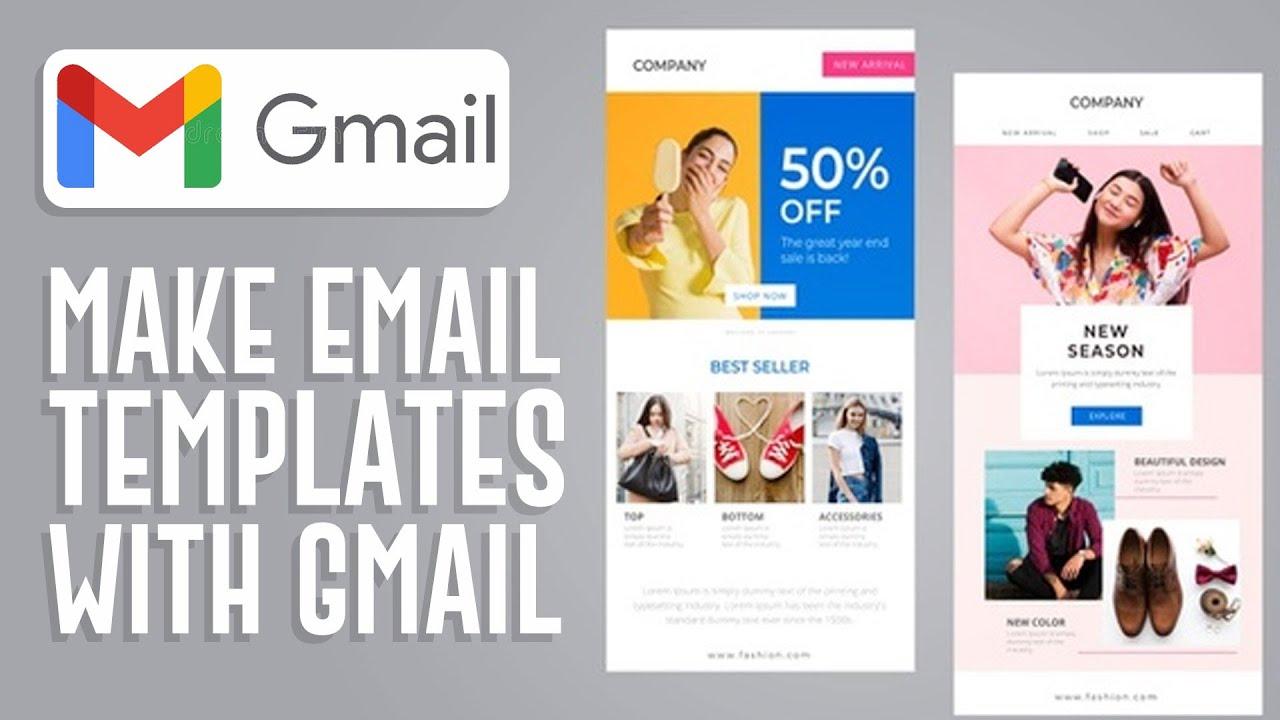
In today’s fast-paced digital landscape, effective communication is the cornerstone of a thriving business. Among the myriad tools at your disposal, email remains a powerful channel for connecting with clients, nurturing leads, and driving engagement. However, with inboxes inundated by a constant stream of messages, crafting emails that stand out is more imperative than ever. This is where the art and science of email template design come into play.
In this blog, we will delve into the essential elements of creating visually appealing, functionally effective email templates that resonate with your audience and reinforce your brand identity. Whether you are a seasoned marketer looking to refine your strategy or a small business owner just starting out, mastering the intricacies of email template design can significantly impact your communication efforts and, ultimately, your bottom line. Join us as we explore best practices, design tips, and insights that will elevate your email marketing game and contribute to your business’s success.
Table of Contents
- Understanding the Key Elements of Effective Email Templates
- Crafting Engaging Content that Captivates Your Audience
- Best Practices for Mobile Optimization in Email Design
- Measuring Success: Analyzing the Impact of Your Email Templates
- The Conclusion
Understanding the Key Elements of Effective Email Templates
Creating an effective email template is essential to ensuring that your message not only reaches its intended audience but also engages them. Start by prioritizing clarity and simplicity in your design. This means using readable fonts, a consistent colour scheme, and adequate spacing to facilitate easy reading. Additionally, a well-structured layout can guide the reader’s eye naturally through your content, making it easier for them to digest key information. Use headings and bullet points to break up text and emphasize important details, making the overall email more scannable:
- Consistent Branding: Align colour and design with your brand.
- Responsive Design: Optimize for mobile and desktop formats.
- Clear Call to Action: Ensure the purpose is unmistakable.
Another critical element involves understanding your audience and tailoring the message accordingly. Personalization can significantly enhance engagement rates. Make use of placeholders to automatically insert recipient names, locations, and other relevant details into your emails. Furthermore, the subject line is your first impression—craft it carefully to entice your audience. A/B testing different subject lines can provide insights into what resonates best with your subscribers:
| Subject Line Type | Example | Engagement Potential |
|---|---|---|
| Question | “Are You Ready to Boost Your Sales?” | High |
| Urgency | “Last Chance for 20% Off Your Next Purchase!” | Very High |
| Personalized | “[Name], Unlock Exclusive Content Just for You!” | High |
Crafting Engaging Content that Captivates Your Audience
Creating content that draws readers in is essential for maintaining their interest and encouraging action. To achieve this, consider the following elements:
- Know Your Audience: Understand their preferences, needs, and pain points.
- Compelling Subject Lines: Craft attention-grabbing titles that tease the value of your email.
- Visual Appeal: Utilize eye-catching designs and images that complement your messaging.
- Concise Messaging: Keep your text clear and to the point, ensuring that key information stands out.
To enhance engagement, personalize your emails. Use the recipient’s name and tailor content to their behavior or purchase history. Additionally, integrate strong calls-to-action (CTAs) that guide users toward desired actions, such as visiting your website or making a purchase. This strategic approach will lead to higher open and interaction rates, ultimately driving conversions.
| Element | Impact |
|---|---|
| Personalization | Increases click rates significantly |
| Visuals | Enhances message retention |
| CTAs | Directs user actions effectively |
Best Practices for Mobile Optimization in Email Design
To ensure your emails render beautifully on mobile devices, start with a responsive design approach. This means using flexible layouts that adapt to different screen sizes. Here are a few key strategies to consider:
- Utilize fluid grids that scale based on the device screen.
- Opt for single-column layouts for easier scrolling and reading on smaller screens.
- Keep images optimized for fast loading; use alt texts for accessibility.
Additionally, pay close attention to typography and touch targets. Making sure your text is readable and links are easily clickable is crucial for user engagement. Focus on these elements:
| Element | Best Practice |
|---|---|
| Font Size | At least 14px for body text to ensure readability. |
| Button Size | Use buttons that are at least 44px tall to facilitate easy tapping. |
By prioritizing accessibility and usability in your email designs, you can significantly enhance the user experience, ultimately driving higher engagement and conversions.
Measuring Success: Analyzing the Impact of Your Email Templates
To truly gauge the effectiveness of your email templates, it is essential to establish key performance indicators (KPIs) that align with your business objectives. Here are some crucial metrics to track:
- Open Rate: This indicates how many recipients opened your email and can signal the appeal of your subject lines.
- Click-Through Rate (CTR): Measuring the percentage of recipients who clicked on links within your email helps assess engagement levels.
- Conversion Rate: This metric shows how many recipients completed a desired action, such as making a purchase or signing up for a newsletter.
- Bounce Rate: Understanding how many emails were undeliverable can provide insights into the quality of your email list.
- Unsubscribe Rate: A rising unsubscribe rate may highlight issues within your content or targeting strategies.
After collecting data on these metrics, it’s vital to analyze and interpret the results to understand your email templates’ impact. Consider using a table to summarize this data, making it easier to spot trends over time. For example:
| Metric | Q1 | Q2 | Q3 | Q4 |
|---|---|---|---|---|
| Open Rate | 25% | 30% | 35% | 40% |
| CTR | 5% | 7% | 8% | 10% |
| Conversion Rate | 2% | 3% | 4% | 5% |
This table illustrates an upward trend, indicating that your email template design might be successfully engaging your audience. By continuously reviewing and refining your approach based on these insights, you can ensure that your email campaigns effectively support your overall marketing strategy.
The Conclusion
mastering email template design is not just a matter of aesthetics; it’s a strategic approach that can significantly enhance your business’s communication and conversion rates. By understanding your audience, emphasizing branding consistency, and incorporating best practices in layout and usability, you are setting your brand up for success in the competitive digital landscape.
Remember, an effective email template serves as the backbone of your email marketing efforts, allowing you to convey your message clearly and professionally while engaging your subscribers. As you implement the strategies discussed in this article, don’t forget the importance of testing and refining your templates based on feedback and analytics.
By continually evolving your email designs, you can ensure that your communications remain relevant and impactful. So roll up your sleeves, get creative, and transform your email templates into powerful tools that drive engagement and foster lasting relationships with your audience. Here’s to your success in revolutionizing your email marketing efforts!