

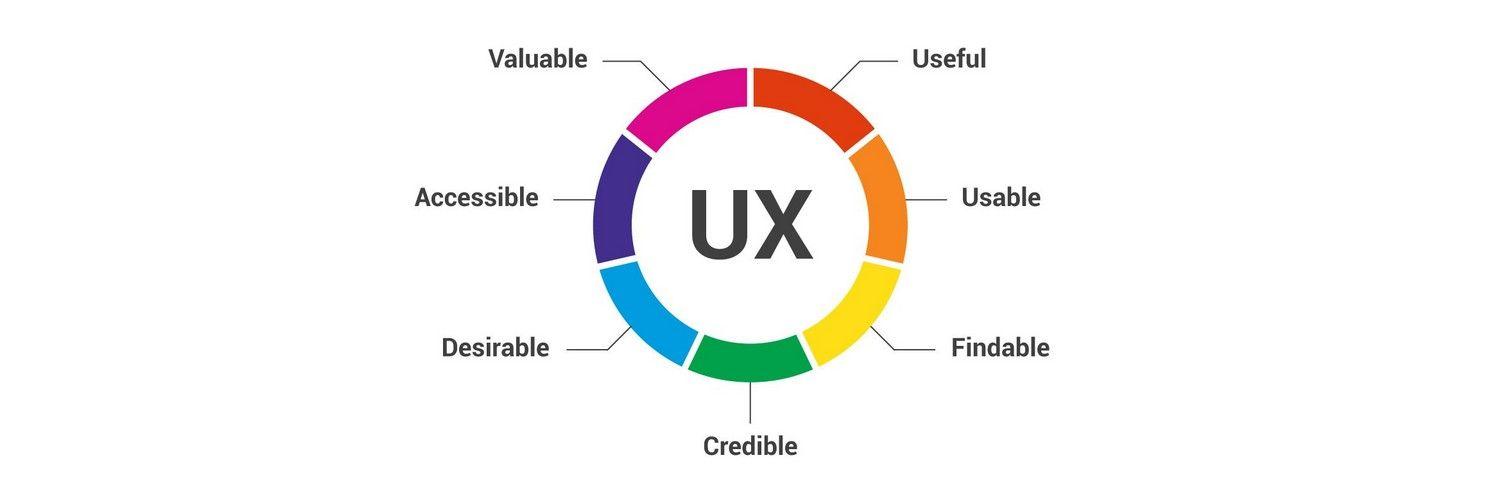
In today’s fast-paced digital landscape, where attention spans are shorter than ever, creating a blog that captivates and retains readers is more crucial than it has ever been. As a blogger, your primary goal should not just be to produce high-quality content, but also to ensure that your audience enjoys a seamless and engaging user experience. An optimized user experience is not merely a nice-to-have; it’s a necessity that can significantly impact your blog’s traffic, retention rates, and overall success. In this article, we will delve into essential tips and strategies to enhance your blog’s user experience, from intuitive design choices to effective navigation techniques. Whether you’re a seasoned blogger or just starting out, these actionable insights will help you create a more inviting and user-friendly environment that keeps readers coming back for more. Let’s explore how you can transform your blog into a space that not only informs but also delights!
Table of Contents
- Creating Intuitive Navigation to Facilitate User Engagement
- Optimizing Load Speed for Improved Reader Satisfaction
- Incorporating Responsive Design for Seamless Accessibility
- Utilizing Visual Content Strategically to Increase Interaction
- To Wrap It Up
Creating Intuitive Navigation to Facilitate User Engagement
One of the critical factors influencing user engagement is the ease with which visitors can navigate your blog. An intuitive menu structure, where categories and subcategories are logically organized, keeps readers focused and minimizes frustration. Consider implementing the following strategies to enhance navigation:
- Descriptive Labels: Use clear and concise labels for your menu items, ensuring visitors know what to expect when they click.
- Dropdown Menus: For blogs with multiple topics, dropdown menus can declutter your main navigation bar while providing easy access to relevant sections.
- Search Functionality: Incorporating a prominent search bar helps users quickly find specific content they’re interested in.
Additionally, consider utilizing visual cues to guide users through your site seamlessly. Color-coded categories or icons can make it easier for readers to identify different genres or topics at a glance. Providing a breadcrumb trail on your pages not only gives context to the current location within the site structure but also allows quick navigation back to previous sections. Here’s a simple comparison of navigation types:
| Navigation Type | Pros | Cons |
|---|---|---|
| Main Menu | Easy access to primary sections | Can become overcrowded |
| Dropdown Menu | Organizes related content neatly | May be overlooked by users |
| Search Bar | Quick access to specific content | Users may not always use it |
Optimizing Load Speed for Improved Reader Satisfaction
Speed is a critical factor in keeping your readers engaged. A slow-loading page can be frustrating and often leads to high bounce rates, which can negatively impact your blog’s performance. To enhance load speed, consider implementing techniques such as compressing images and utilizing browser caching. By reducing file sizes and ensuring your website is easy to access on various devices, you can create a smoother experience for your audience. Other strategies include minifying CSS and JavaScript files and adopting asynchronous loading for non-essential scripts, allowing your main content to load faster.
Utilizing a reliable Content Delivery Network (CDN) can also significantly boost your loading speed by distributing your content across multiple servers worldwide. This means that visitors can access your website from a server closest to them, reducing latency. Here’s a quick comparison of loading speeds influenced by CDN usage:
| Method | Average Load Time |
|---|---|
| Without CDN | 4.2 seconds |
| With CDN | 2.1 seconds |
By investing time in optimizing load speed, you’re not only improving user satisfaction but also setting the stage for better SEO rankings. Remember, every second counts in the digital realm; a faster website leads to happier readers and a thriving blog.
Incorporating Responsive Design for Seamless Accessibility
In today’s digital landscape, ensuring your blog is accessible to a diverse audience requires a focus on responsive design. This approach enables your content to adapt seamlessly across various devices, from desktops to smartphones. By employing fluid grids and flexible images, you can maintain a consistent user experience that encourages engagement. Key strategies to consider include:
- Media Queries: Utilize CSS media queries to adjust content based on device size, ensuring readability and functionality across all screens.
- Viewport Meta Tag: Implement this tag in your HTML to control layout on mobile browsers, enabling proper scaling of your content.
- Scalable Typography: Opt for relative units like ems or percentages for font sizes, which will adjust dynamically based on user preferences.
Employing a well-structured layout can enhance readability and navigation. Consider creating a simple table that highlights your design strategies against their respective benefits:
| Design Strategy | Benefits |
|---|---|
| Fluid Grids | Optimizes space usage across devices |
| Flexible Images | Maintains quality while adapting to screen sizes |
| PWA Implementation | Enhances performance and offline access |
Integrating these methodologies will not only ensure a pleasant browsing experience but will also play a pivotal role in SEO rankings. Search engines increasingly favor sites that prioritize user accessibility, making responsive design not just a trend, but a necessity for any successful blog.
Utilizing Visual Content Strategically to Increase Interaction
In today’s digital landscape, incorporating visual content is essential for fostering engagement on your blog. By strategically utilizing images, infographics, and videos, you can create a more immersive reading experience that captures the attention of your audience. Consider incorporating the following types of visuals to enhance interaction:
- High-Quality Images: Use relevant and appealing images to break up text and illustrate key points.
- Infographics: Present complex information in an easily digestible format that promotes sharing.
- Videos: Engage visitors with dynamic content that provides in-depth insights into topics.
Moreover, the placement of visual elements can significantly influence user interaction. Strategic placement aims to draw the reader’s eye and guide them through the content seamlessly. Organizing your visuals effectively allows for greater context and relevance, which can lead to higher rates of shares and comments. Here’s a simple table outlining best practices for visual content placement:
| Visual Element | Recommended Placement | Purpose |
|---|---|---|
| Images | Within text breaks | Support textual information |
| Infographics | At the end of sections | Synthesize key concepts |
| Videos | Introductory segments | Boost engagement early |
To Wrap It Up
enhancing your blog’s user experience is not just a luxury; it’s a necessity in today’s digital landscape. By implementing these essential tips, you’ll not only create a more inviting and engaging environment for your readers but also foster loyalty and encourage repeat visits. Remember, a well-optimized user experience can significantly impact your blog’s performance and reader satisfaction.
As you continue to refine your blog, keep in mind that user feedback is invaluable. Regularly evaluate your audience’s needs and preferences, and be open to making adjustments. By committing to continuous improvement, you’ll ensure that your blog stands out in a crowded online space.
So, take these insights and start transforming your blog today. Your readers will thank you, and you’ll reap the rewards in increased engagement and a thriving online community. Happy blogging!